Your command center for AI development agents
Pheron lets you manage repositories, automate GitHub issues, and orchestrate multiple AI runners — all from one place. Ship faster with specialist agents and full cost control.

Issue #142 resolved
by Claude Code · 2 min ago
Monthly spend
$4.32
↓ 18% vs last month
Everything you need
One platform, your entire agent workflow
Pheron brings together repositories, issues, runners, and cost control into a single, cohesive workspace.
Repository Management
Connect your GitHub repositories and let Pheron monitor branches, commits, and pull requests in real time.
GitHub Issues Automation
Assign issues to AI agents with a single click. Pheron reads the context, writes the code, and opens a PR automatically.
Multiple AI Runners
Choose the best runner for each task — Claude Code, Gemini, Codex, or your own custom runner. Switch without changing your workflow.
Token & Cost Control
Set spending limits per project, per agent, or per month. Get real-time token usage breakdowns and never overspend.
Specialist Agents
Use built-in agents for frontend, backend, testing, and code review — or configure your own with custom prompts and tools.
Custom Agent Builder
Design your own specialist agents from scratch. Define their skills, tools, and context, then reuse them across all your projects.
Telegram Integration
Chat with Claude, Gemini, or Codex from your phone. Assign issues, review PRs, and check costs directly from Telegram.
Context Optimization
Automatic context window management per agent — trim, summarize, and prioritize history to cut token usage on long-running tasks.
Auto Mode
Runners present their execution plan and ask for your approval once. After confirmation, they run end-to-end without interruptions — no more manual step-by-step approvals.
How it works
From issue to pull request in minutes
Pheron handles the full cycle — no glue code, no manual hand-offs.
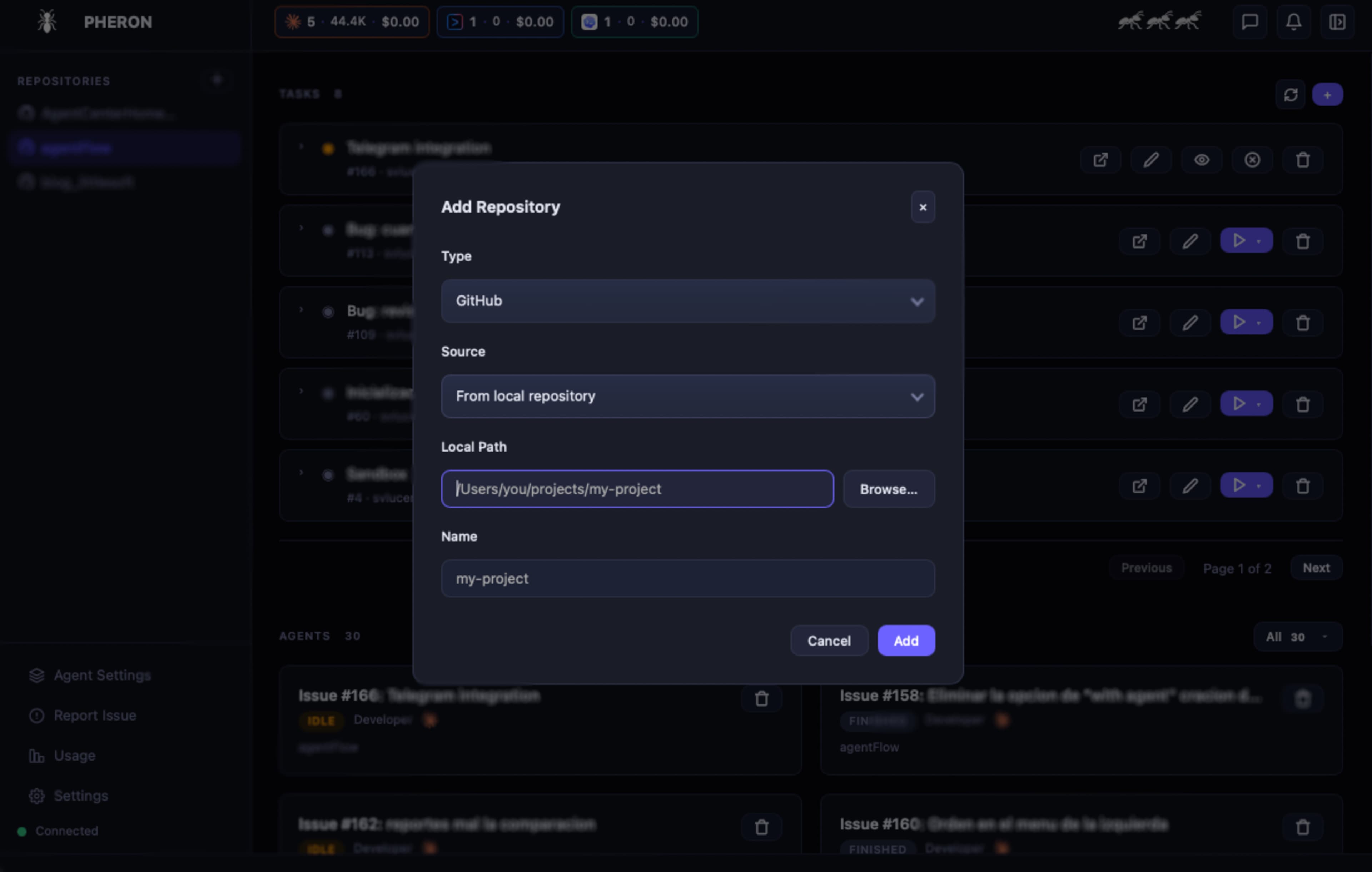
Connect your repositories
Link your GitHub account and select the repositories you want Pheron to manage. It reads your issues, branches, and pull requests automatically.
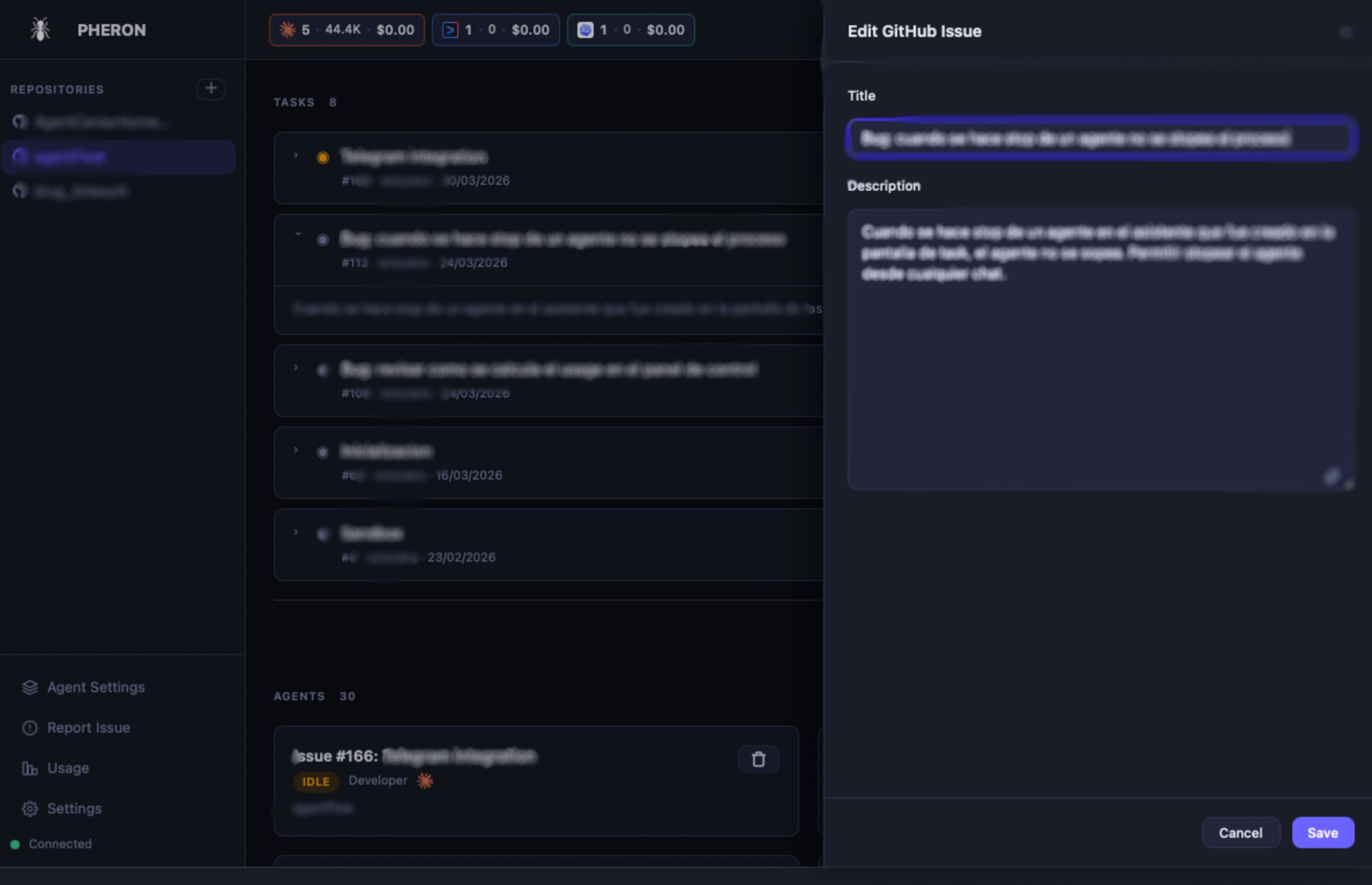
Assign issues to agents
Pick an open GitHub issue and assign it to a specialist agent — a frontend dev, a backend engineer, a QA reviewer. The agent reads the issue context and gets to work.
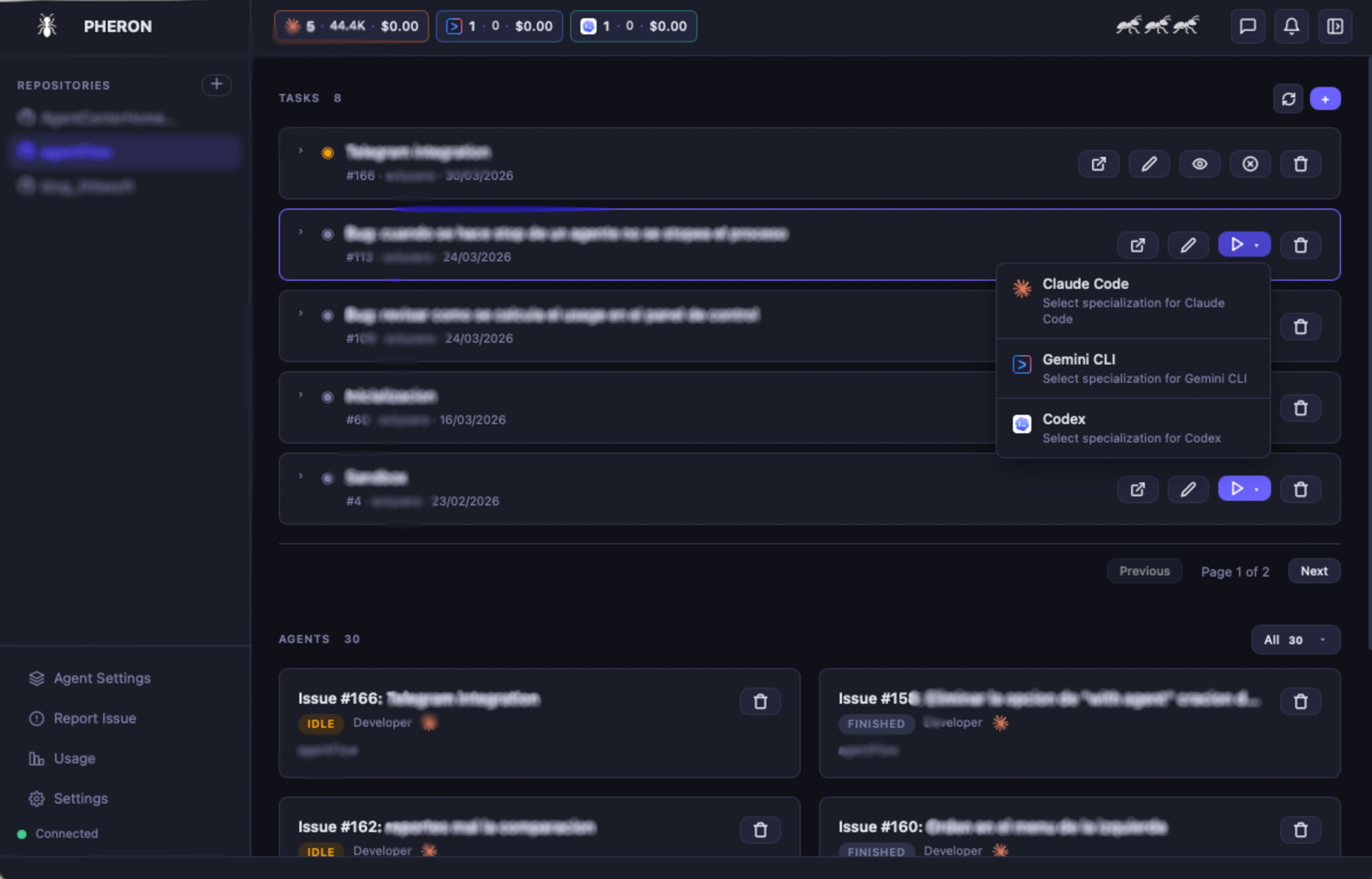
Choose your runner
Select which AI runner handles the task: Claude Code, Gemini, Codex, or your own custom runner. Different issues, different runners — full flexibility.
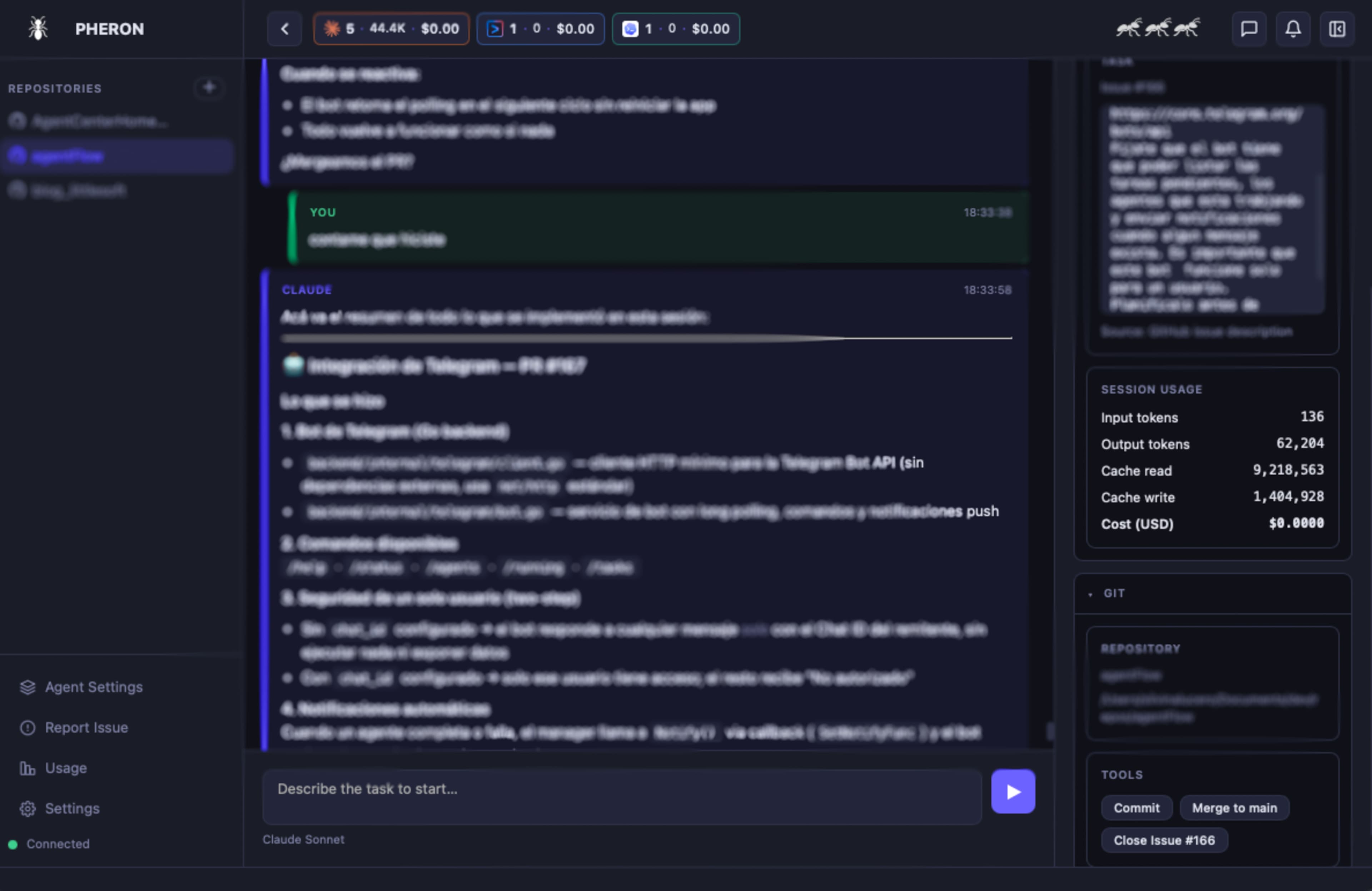
Review, merge, and track costs
The agent opens a PR with the implementation. You review and merge. Pheron logs every token spent so you always know the cost per issue.
Specialist agents
The right agent for every task
Pheron ships with a roster of expert agents ready to use out of the box. Not finding what you need? Build your own in minutes.
Frontend Dev
Specializes in React, TypeScript, and UI/UX implementation.
Backend Dev
APIs, databases, auth, and server-side logic.
QA Engineer
Writes unit tests, integration tests, and catches edge cases.
Code Reviewer
Reviews PRs for quality, security, and best practices.
Design Engineer
Translates Figma designs into pixel-perfect components.
Your Custom Agent
Define skills, tools, and a base prompt to create your own specialist.
Compatible with your favorite runners
Pheron is runner-agnostic. Pair any agent with Claude Code, Gemini, Codex, or plug in your own custom runner via our open API.
80% of limit reached
frontend-app · March
Cost control
Know exactly what your agents are spending
Pheron gives you full visibility into token usage and costs across every project, agent, and run — so there are no surprises at the end of the month.
Per-project spending caps
Set hard limits per repository so no single project runs away with your budget.
Real-time token tracking
See exactly how many tokens each agent used, broken down by issue and run.
Cost alerts
Get notified when a project is approaching its limit — before it hits.
Monthly reports
Export detailed cost reports by team, repository, or agent type.
Documentation
How to use Pheron
Everything you need to know to manage your agents, repositories, and AI runners from one place.
The Repositories section is your starting point. Register the git repositories your agents will work on.
Create a new repository
Clone from GitHub
Add an existing local repo
git remote.origin.url.Worktrees: Each repository can have multiple worktrees (isolated working branches). Pheron detects them automatically so different agents can work in parallel without conflicts.
Start shipping with AI agents today
Install Pheron in seconds and connect your first repository in under 5 minutes. No credit card required during beta.
curl -sSL https://raw.githubusercontent.com/svlucero/pheron/main/install.sh | bashmacOS · Apple Silicon & Intel · Linux · x86_64 & ARM64
Windows
Coming soon
Linux
x86_64 & ARM64 · AppImage
macOS · Linux · Windows (soon)